
Download 4k Stogram – Instagram photo downloader, backup tool, free Windows app
Overview
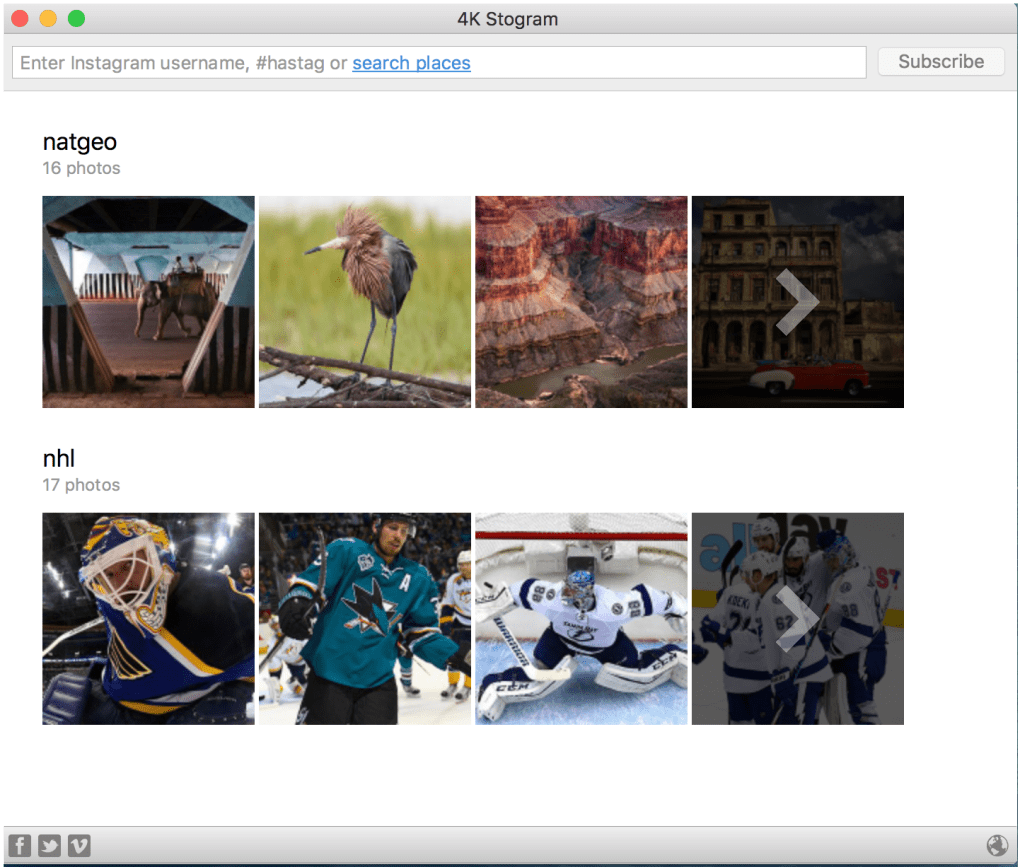
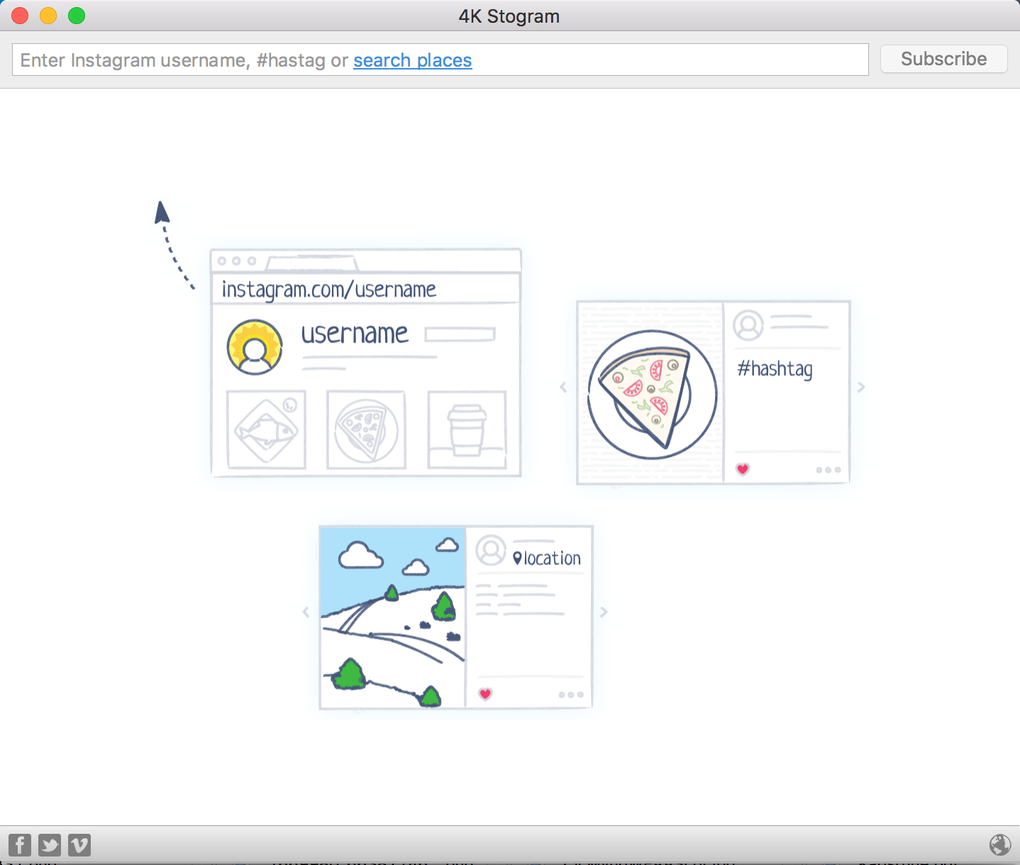
4k Stogram is a lightweight Windows client designed exclusively for downloading and archiving publicly shared Instagram photos. Unlike full‑featured Instagram clients, 4k Stogram focuses on a single purpose: pulling images from Instagram accounts, hashtags, or locations and saving them directly to your local hard drive. The interface is intentionally stripped‑down – a simple search bar at the top, a progress pane that lists the accounts you’ve entered, and automatic folder creation inside your Pictures directory.
Once you type a username, the software scans the profile, gathers every publicly available picture, and stores each file in its native resolution. The downloaded images can then be opened with any image viewer, such as Windows Photo Viewer, or edited in your favorite graphics program. Because the app does not require an Instagram login, it works even if you are not signed into the social network, making it a convenient, secure way to build an offline archive of visual content for research, inspiration, or personal memory keeping.
While 4k Stogram does not let you like, comment, or share directly from the app, its speed, ease of use, and zero‑cost model make it an attractive option for anyone who needs a reliable Instagram backup solution without the clutter of social‑media management features.
Features and How It Works
- Simple username, hashtag, or location search bar for instant retrieval.
- Automatic creation of sub‑folders named after each Instagram handle.
- Bulk download of all public photos from a chosen account.
- Native‑resolution image saving (original size as posted on Instagram).
- Background downloading – you can continue working while images are saved.
- Free, ad‑free version with optional paid upgrade for higher download speeds.
- Supports Windows 7, 8, 10, and 11 with 64‑bit architecture.
Installation & First‑Run Guide
Getting started with 4k Stogram is straightforward. Download the installer from the official website, run the .exe file, and follow the on‑screen wizard. The installer performs a quick system check, confirms the destination folder (default is C:\Users\YourName\Pictures\4k Stogram), and creates a desktop shortcut.
Upon launching the app, you’ll be greeted by a clean window with a single input field. Type the Instagram username you wish to archive, click the magnifying glass, and watch the progress bar fill as the program contacts Instagram’s public API endpoints, extracts image URLs, and begins downloading. The process typically takes a few seconds per 100 photos, depending on your internet speed.
Once complete, navigate to the generated folder to browse the images; double‑click any file to open it in your default viewer. The app also allows you to queue multiple accounts by separating them with commas, making it easy to batch‑download several profiles in one session.
Compatibility, Pros & Cons
4k Stogram runs natively on Windows operating systems, supporting Windows 7, 8, 10, and 11 (both 64‑bit and 32‑bit variants). The software does not have official versions for macOS, Linux, Android, or iOS, which limits its audience to PC users. System requirements are modest: a dual‑core processor, 2 GB RAM, and at least 100 MB of free disk space for the application itself (additional storage will be needed for the downloaded images).
Pros
- Free and secure: No hidden fees, no login required, and no data is sent to third‑party servers beyond Instagram’s public endpoints.
- Lightning‑fast bulk download: Retrieves entire photo libraries in minutes.
- Minimalistic UI: Easy to learn, no distracting ads or social features.
- Automatic organization: Creates dedicated folders per account, keeping your archive tidy.
- Low system impact: Runs in the background without hogging CPU or RAM.
Cons
- Windows‑only: No native support for macOS, Linux, or mobile platforms.
- One‑track functionality: Cannot like, comment, or interact with Instagram content.
- No video download: The free version only captures photos, leaving out reels and IGTV videos.
- Resolution limitation: Images are saved at the resolution Instagram provides (often lower than original uploads).
- Requires manual updates: The free version does not auto‑update; users must download newer installers.
Frequently Asked Questions
-
Can I download Instagram videos with 4k Stogram?
The free version of 4k Stogram only supports photo downloading. Video download is available only in the paid “Pro” edition, which adds support for reels, IGTV, and Stories.
-
Do I need to log into my Instagram account?
No. 4k Stogram works with publicly available Instagram content, so you can download images without providing credentials.
-
Is the software safe from malware?
Yes. The official installer is digitally signed and distributed from the developer’s website. It does not contain adware or spyware.
-
How often should I update 4k Stogram?
Because Instagram occasionally changes its public API, it’s advisable to check the website monthly for updates that maintain compatibility.
-
Can I use 4k Stogram on a Mac?
Currently there is no native macOS version. Mac users can run the Windows application via virtualization tools such as Parallels or Boot Camp.
Conclusion & Call to Action
For Windows users who need a straightforward, no‑frills solution to back up Instagram photos, 4k Stogram remains one of the most reliable options available. Its free tier covers the essential workflow—search, download, and local storage—while the optional Pro upgrade expands capabilities for power users. Although it lacks cross‑platform support and advanced social features, the app’s speed, security, and minimalistic design make it a solid choice for anyone looking to preserve visual content offline. Ready to start building your own Instagram archive? Download 4k Stogram now and enjoy a secure, hassle‑free backup experience.